Chat Rooms disappeared

Hi

Up to now, my installations run fine ...


but now i am experiencing on both (!) the same since this morning:

the rooms within the chat disappeared, as well as the intro message ..


i cannot open (a) new room(s) , the error message is "error while creating the room"

its a miracle to me actually, as i did not change anything regarding the chat and even more that it happens on both my installations which you find at:

..Synergy-Radio-Community..

and

..Handicapped People Community..


Has anyone an idea as what happened there? i am really confused.

i de-installed and re-installed the chat on the handicapped comm, i transferred all the chat-related files again via ftp, i checked the rights (which should be okay afaik) .. don't know what to do anymore...

thanks for your hints/advices

kind regards, biggi
http://community-schwerbehinderung-aktuell.com/stoma-web
Quote · 24 Jan 2010

Same thing seemingly spontaneously happening with our site too - any ideas??

Hi

Up to now, my installations run fine ...


but now i am experiencing on both (!) the same since this morning:

the rooms within the chat disappeared, as well as the intro message ..


i cannot open (a) new room(s) , the error message is "error while creating the room"


its a miracle to me actually, as i did not change anything regarding the chat and even more that it happens on both my installations which you find at:

..Synergy-Radio-Community..

and

..Handicapped People Community..


Has anyone an idea as what happened there? i am really confused.

i de-installed and re-installed the chat on the handicapped comm, i transferred all the chat-related files again via ftp, i checked the rights (which should be okay afaik) .. don't know what to do anymore...


thanks for your hints/advices

kind regards, biggi

 

Quote · 1 Nov 2010

That makes three of us.

I go to my chat room and I get the following errors


 Webpage error details

User Agent: Mozilla/4.0 (compatible; MSIE 8.0; Windows NT 5.1; Trident/4.0; GTB6.6; .NET CLR 1.1.4322; .NET CLR 2.0.50727; .NET CLR 3.0.04506.30; .NET CLR 3.0.4506.2152; .NET CLR 3.5.30729; MDDR)
Timestamp: Mon, 1 Nov 2010 22:40:09 UTC


Message: Syntax error
Line: 6899
Char: 1
Code: 0
URI: http://MYSITEURL.net/gzip_loader.php?file=bx_templ_js_c2ee8e38d1044934dab75f00c544ed71.js


Message: Object expected
Line: 13
Char: 3
Code: 0
URI: http://MYSITEURL.net/m/chat/home/


Message: 'BxUserStatus' is undefined
Line: 22
Char: 9
Code: 0
URI: http://MYSITEURL.net/m/chat/home/


Message: Object expected
Line: 67
Char: 2
Code: 0
URI: http://MYSITEURL.net/m/chat/home/


Message: Object expected
Line: 72
Char: 21
Code: 0
URI: http://MYSITEURL.net/m/chat/home/


Message: 'jQuery' is undefined
Line: 704
Char: 5
Code: 0
URI: http://MYSITEURL.net/m/chat/home/


Message: Object expected
Line: 1880
Char: 1
Code: 0
URI: http://MYSITEURL.net/m/chat/home/


Message: 'swfobject' is undefined
Line: 1993
Char: 1
Code: 0
URI: http://MYSITEURL.net/m/chat/home/


The only way I can get to the chat room is from the admin dashboard under flash apps.

No other user can get to the chat either.

So Where, oh where did our chat rooms go?

Please advise.


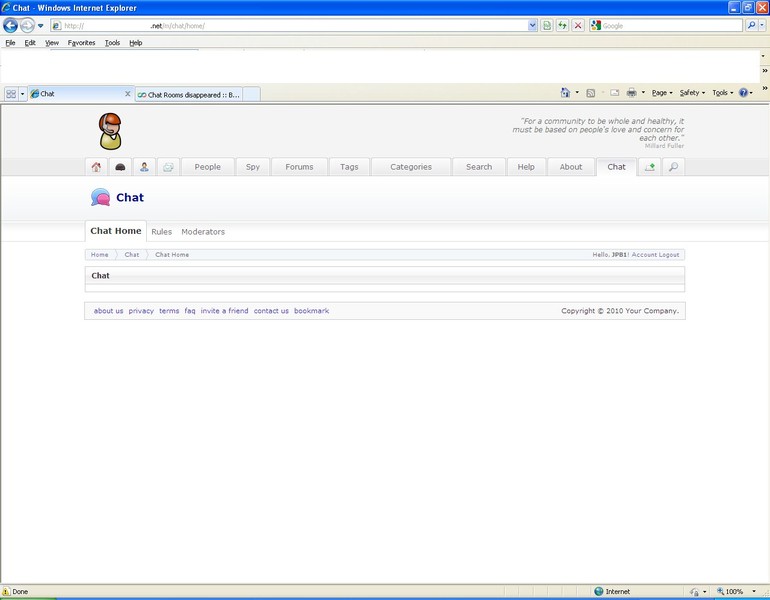
The following is a pic of the screen when I attempt to go to the chat room:


205349.jpg

Quote · 1 Nov 2010


That makes three of us.

I go to my chat room and I get the following errors


Webpage error details

User Agent: Mozilla/4.0 (compatible; MSIE 8.0; Windows NT 5.1; Trident/4.0; GTB6.6; .NET CLR 1.1.4322; .NET CLR 2.0.50727; .NET CLR 3.0.04506.30; .NET CLR 3.0.4506.2152; .NET CLR 3.5.30729; MDDR)
Timestamp: Mon, 1 Nov 2010 22:40:09 UTC


Message: Syntax error
Line: 6899
Char: 1
Code: 0
URI: http://MYSITEURL.net/gzip_loader.php?file=bx_templ_js_c2ee8e38d1044934dab75f00c544ed71.js


Message: Object expected
Line: 13
Char: 3
Code: 0
URI: http://MYSITEURL.net/m/chat/home/


Message: 'BxUserStatus' is undefined
Line: 22
Char: 9
Code: 0
URI: http://MYSITEURL.net/m/chat/home/


Message: Object expected
Line: 67
Char: 2
Code: 0
URI: http://MYSITEURL.net/m/chat/home/


Message: Object expected
Line: 72
Char: 21
Code: 0
URI: http://MYSITEURL.net/m/chat/home/


Message: 'jQuery' is undefined
Line: 704
Char: 5
Code: 0
URI: http://MYSITEURL.net/m/chat/home/


Message: Object expected
Line: 1880
Char: 1
Code: 0
URI: http://MYSITEURL.net/m/chat/home/


Message: 'swfobject' is undefined
Line: 1993
Char: 1
Code: 0
URI: http://MYSITEURL.net/m/chat/home/


The only way I can get to the chat room is from the admin dashboard under flash apps.

No other user can get to the chat either.

So Where, oh where did our chat rooms go?

Please advise.


The following is a pic of the screen when I attempt to go to the chat room:


205349.jpg

this appears to be something with the cache. have you tried cleaning your cache?

When a GIG is not enough --> Terabyte Dolphin Technical Support - Server Management and Support
Quote · 2 Nov 2010

clearing the cache I think is what caused this problem to begin with. before I cleared the cache I didnt have this problem. afterwards I did.


Edited to add:

However, I just tried clearing out my cookies on my system and it worked. Thanks DosDwag for pointing me in the right direction. You da Dwag. :-)

Quote · 2 Nov 2010
 
 
Below is the legacy version of the Boonex site, maintained for Dolphin.Pro 7.x support.
The new Dolphin solution is powered by UNA Community Management System.