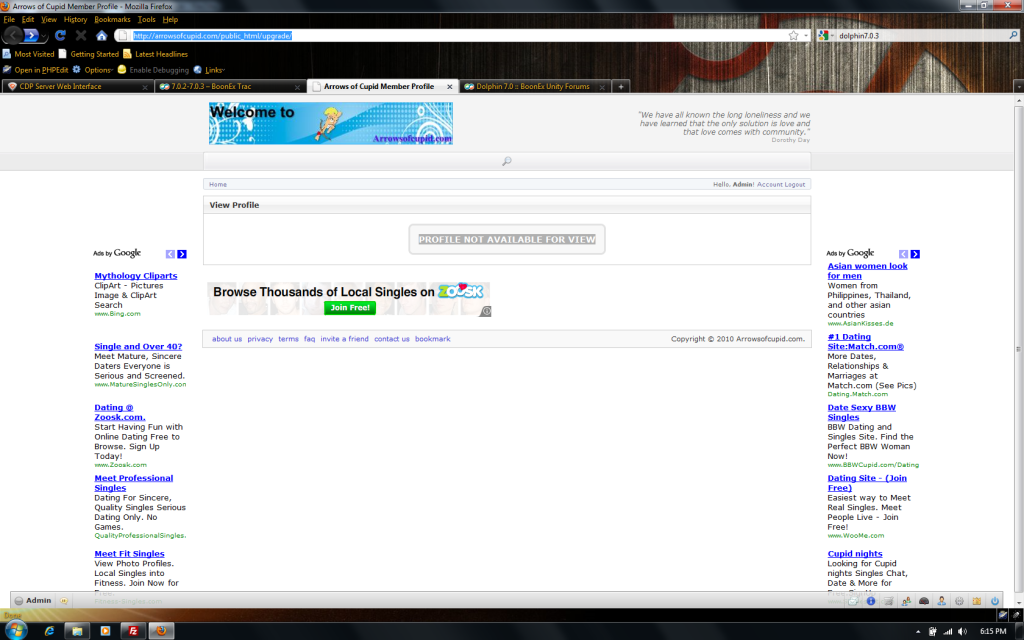
I am at the correct spot for the update as directed in the Upgrade Instructions from 7.0.2 to 7.0.3. However i don't see any updates there. please confirm for me that the installation has the full updates when you are upgrading, OR are we missing a step here.
[IMG]http://i469.photobucket.com/albums/rr57/Ardicus/techie/noview.png[/IMG]
i followed the steps to this part to include removing the upgrade/.htaccess in step 2
I can proceed without help... unless I restore back to 7.0.2 OR do a new install but that will delete everything and users?
Reference to:http://www.boonex.com/trac/dolphin/wiki/7.0.2-7.0.3
|
I have restored and retried to the same effect...
I am restoring previous instalation of 7.0.2 and awaiting instructions. If i wont lose members or certain data, i might do fresh install? or stick to see whats going on with upgrade?.
|
DO NOT just overwrite with a fresh installation as you will corrupt the DB and undoubtedly break more than you fix.
Now on to your error: Your domain name is incorrect in the address bar (remove the public_html) so it should be http://www.domainname.com/upgrade/
Best of luck.
clubbeyourself |
hrmmm:
BoonEx Dolphin Upgrade Script
| 7.0.2-7.0.3 |
Update can not be applied |
|
Did you get your installation sorted? Was the problem with how you were entering the path in the address bar? clubbeyourself |
same here
tried to update with the patch from 702 to 703
| 7.0.2-7.0.3 |
Update can not be applied |
|
but in my header inc it says
$site['ver'] = '7.0';
$site['build'] = '2';
Why can i not upgrade ?
i uploaded and overwrite the files, deleted the hta in the upgrade map and
it says this message.
Anyone?
|
I had issues with d7.0.2 upgrading to d7.0.3 so I deleted it and installed a fresh d7.0.3 and added the d.7.0.2 data base and all is going great now. Just remember...back up ALL files and folders in case what you try does NOT work. You possess an intuitive intelligence so powerful it can help you heal, and relieve stress. |
so there is no other way, for example changing something in config or inc ?
thats nice : i paid 50 for 7.0 en then paid 50 for upgrade 7.0.2 and this time
i thought hell lets do it my self and this is the result.
Thats a good basic start to begin with my first contact with the boonex script
|
|
oke also when i try to login as admin i get a database error.
i have switch bug report on true and this is the result :
Query:
SELECT `ID`, `Caption`, `Func`, `Content`, `DesignBox`, `Visible`, `Cache` FROM `sys_page_compose` WHERE `Page` = 'ads' AND `Column` = 1 ORDER BY `Order` ASC
Mysql error:
Unknown column 'Cache' in 'field list'
Found error in the file '/home/indezorg/domains/indezorg.nl/public_html/inc/classes/BxDolPageViewAdmin.php' at line 826.
Called 'db_res' function with erroneous argument #0.
anyone an answer how to fix and start with update to 7.0.3 ?
|
7.0.3 Upgrade patch was not applied properly !
Cache field is missing in your database.
oke also when i try to login as admin i get a database error.
i have switch bug report on true and this is the result :
Query:
SELECT `ID`, `Caption`, `Func`, `Content`, `DesignBox`, `Visible`, `Cache` FROM `sys_page_compose` WHERE `Page` = 'ads' AND `Column` = 1 ORDER BY `Order` ASC
Mysql error:
Unknown column 'Cache' in 'field list'
Found error in the file '/home/indezorg/domains/indezorg.nl/public_html/inc/classes/BxDolPageViewAdmin.php' at line 826.
Called 'db_res' function with erroneous argument #0.
anyone an answer how to fix and start with update to 7.0.3 ?
Rules → http://www.boonex.com/terms |
I have exactly the same issue. Tried it three times and it always failed.
I searched the issue and similar issues online, there are tons out there discussed at mySql forums, but I couldn't find any suitable fix yet, so I think something within the script triggers this.
Former upgrades always went without issues.
|
I have exactly the same issue. Tried it three times and it always failed.
I searched the issue and similar issues online, there are tons out there discussed at mySql forums, but I couldn't find any suitable fix yet, so I think something within the script triggers this.
Former upgrades always went without issues.
So still you have no fix for this ?
|
oke, so this can not be fixed and i have to go for an new full 7.0.3 install ? |
Have you tried this:
You can disable the cache (remove checkmarks) here :
Admin Panel > Advanced Settings > Other
- Enable DB cache
- Enable page blocks cache
Nothing to see here |
hi zarcon,
I can do nothing.
trying the update its says
| 7.0.2-7.0.3 |
Update can not be applied |
|
Try to go into the administration : it gives me a database error
i can not connect to the admin
regards
|
I did a full new install, that was the only option for me.
Good luck.
|